Design
The UX of AI Applications depends on the Harness, not the Model
Obin UX
•
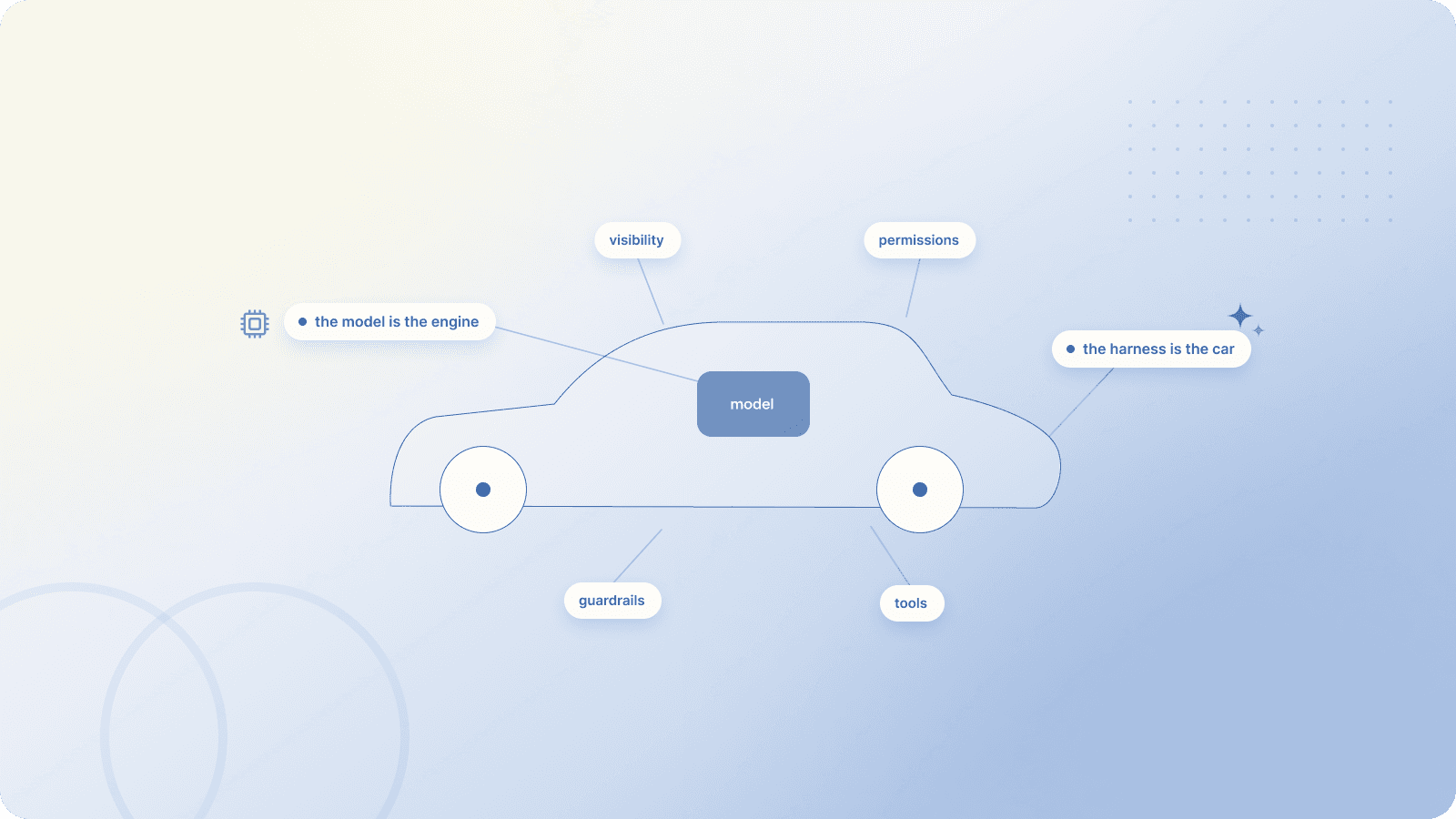
Every time a new AI model drops, it sucks up all the oxygen: the Benchmarks, demos, threads, takes, etc. But if you've worked on an AI product, here's the thing nobody says out loud: the model is maybe a third of what your users actually experience. The rest is something called the harness, and yet most designers I talk to have never heard the word.
So let's fix that. This is a quick tour of what an agent harness is, why it usually matters more than the model, and where it shapes your work as a designer.
OK, so what's a harness?
Picture the model as an engine. Input goes in, output comes out. That's all it does. It can't click anything. It can't open a file. It doesn't remember what happened yesterday. It doesn't know when to stop, and it has no idea which tools it's allowed to use.
That's a problem because we want AI products that do things, like send the email, book the trip, update the doc. So engineers wrap the model in scaffolding to make it actually useful. That scaffolding is the harness. It usually includes:
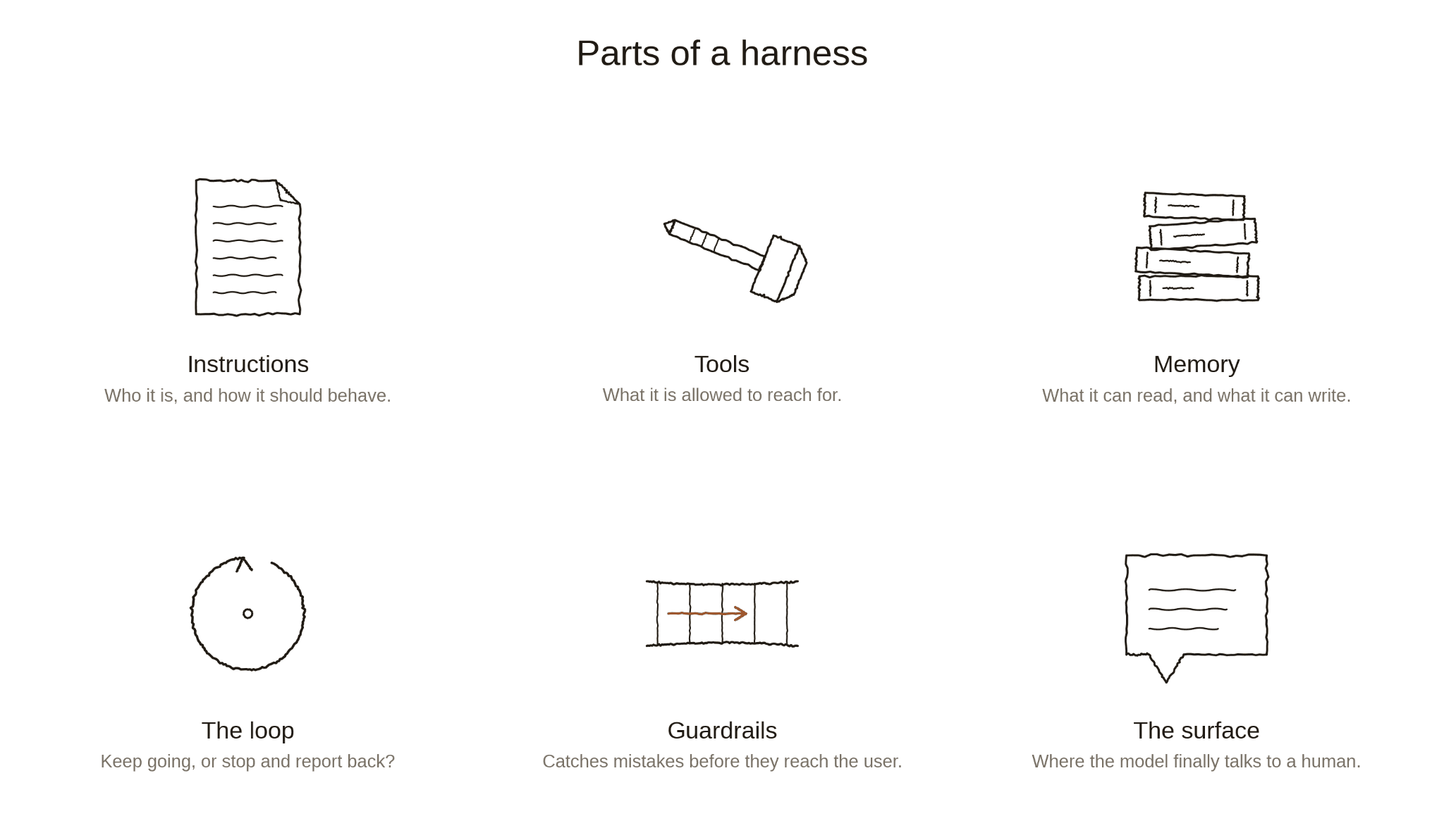
Here's an analogy: The model is a sharp new hire on day one. Brilliant, eager, but honestly, a bit lost. Knows too little about too many things. The harness is everything you'd give that person to make them useful to your company. For example, onboarding, org chart, logins, a manager who checks in, coaching, mentorship, feedback – you get the picture.
Drop the same hire into two different companies and you'd get two pretty different employees. Same model, different harness, very different product. Hold onto that. It's basically the whole point of this post.
Forget the engineering jargon – here’s why it should matter to you, the PM/designer!
The harness is where the product actually lives. The model gives you raw capability, and the harness decides how that capability shows up in the experience.
Imagine an AI assistant that drafts and sends emails. The model can write the email, but that's the easy part. Now look at the questions around it:
Does it draft and wait, or send right away?
Does it tell you which contacts it considered?
Does it remember your tone, or start from scratch every time?
When it can't find the right person, does it guess, ask, or give up?
When something breaks, do you get a vague error, a half-finished draft, or a clear explanation of what it tried?
Notice how none of those are model questions. The model can write any email. These are all harness questions. And every single one is a design call.
That's the punchline. Most of what feels like "the AI experience" is being decided one layer up from the model, inside the harness. Which means if you treat the harness as engineering's black box, you're handing away most of your design surface without realizing it.
Three places where harness = UX
If you want a more concrete handle on this, here are three places where harness choices and UX choices are basically the same conversation.
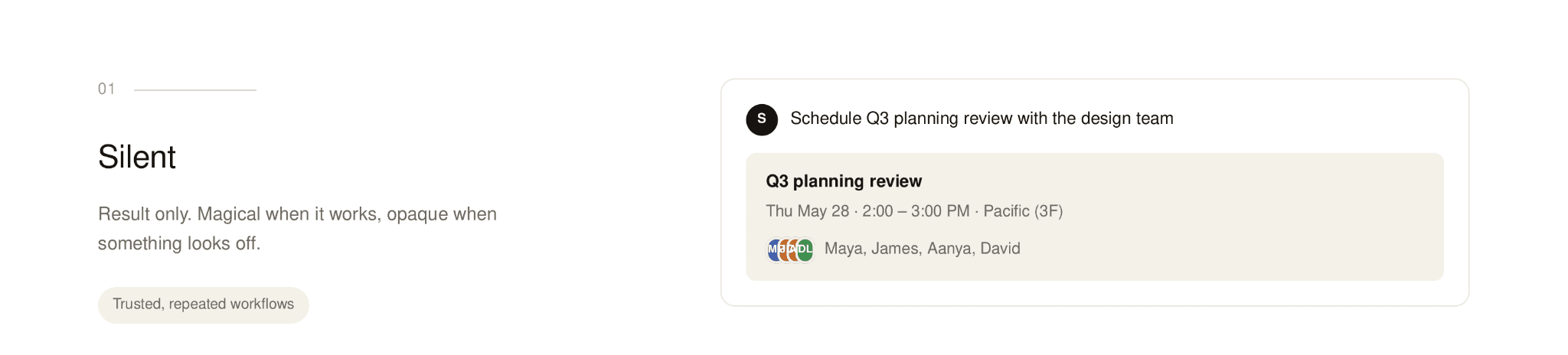
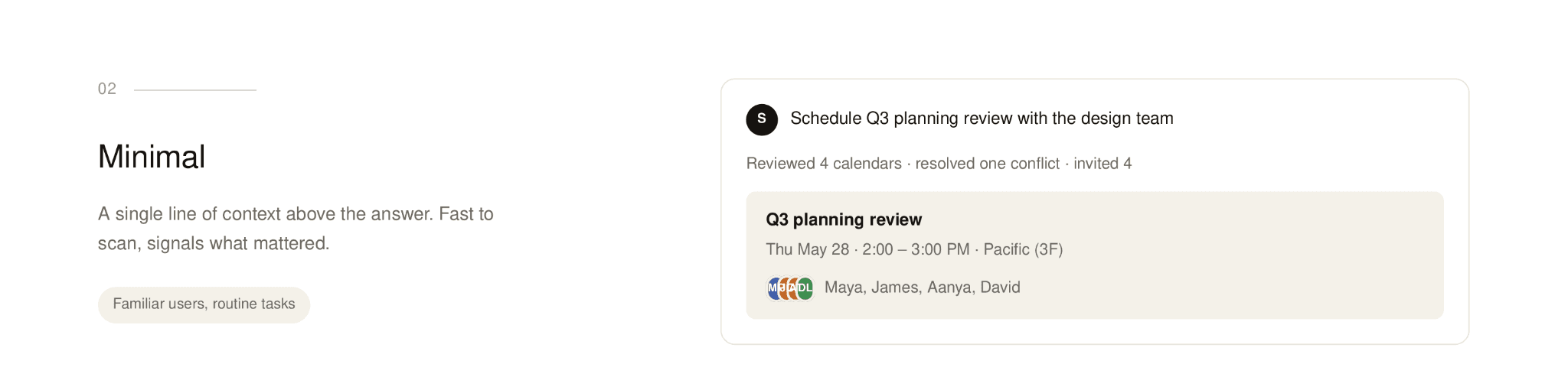
Visibility: how much of the work does the user see? Some harnesses narrate every step ("checking your calendar… found three meetings… drafting…"). Others just hand you the result. If it shows too much, it will feel noisy and slow. If shows too little, people don't know what happened or whether to trust it. Where you land depends on the stakes of the task, how familiar the user is with the agent, your POV as the product builder, life stage of the product, and the industry. The list just goes on.
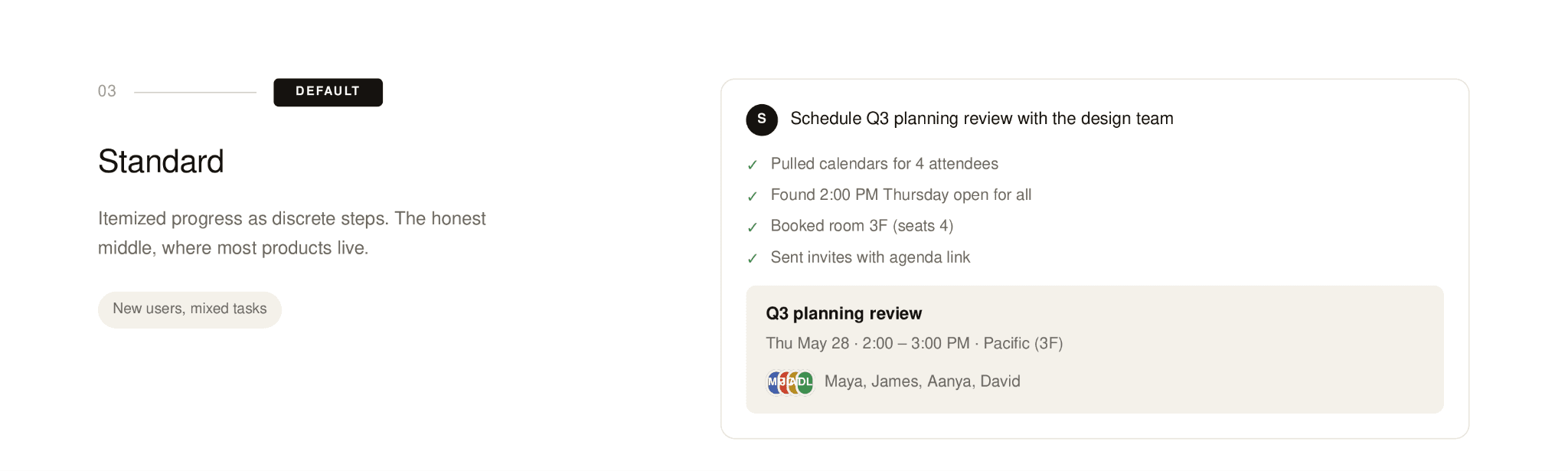
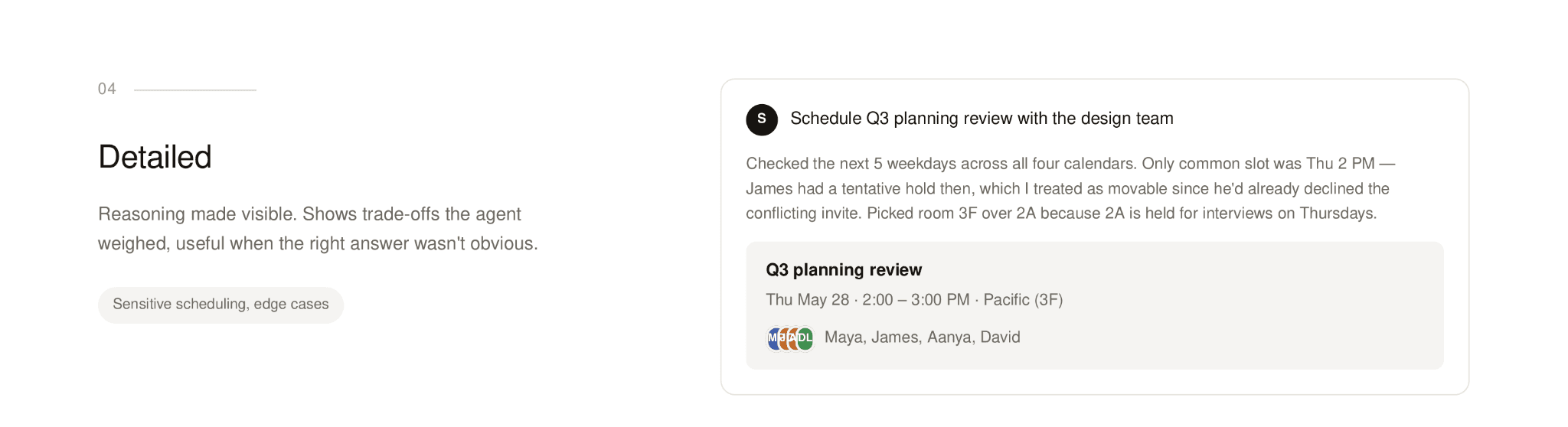
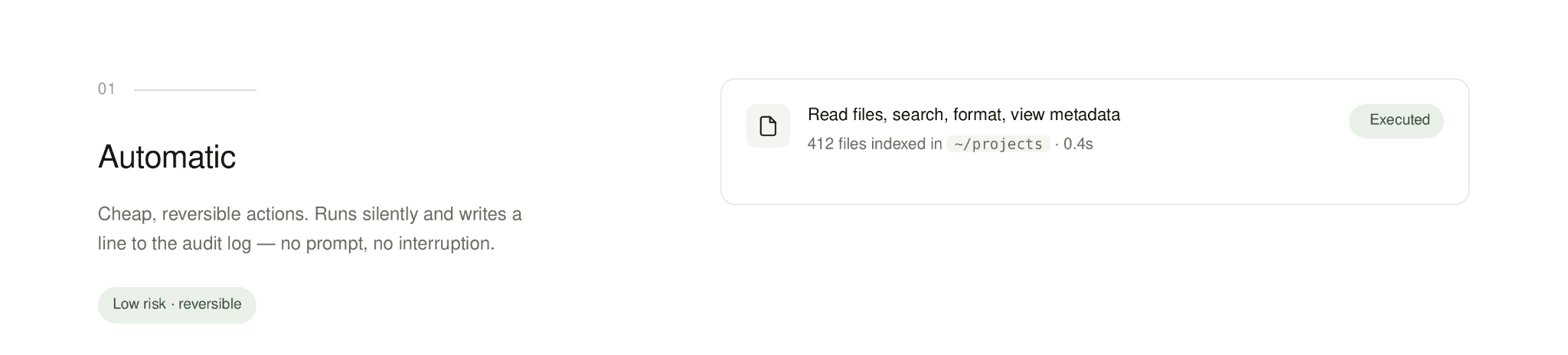
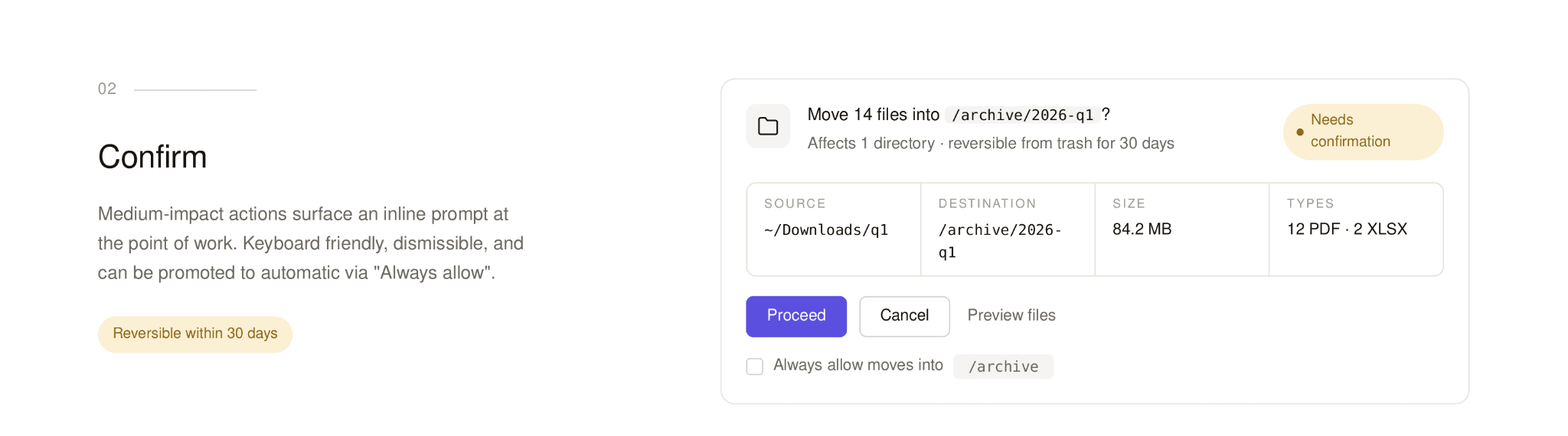
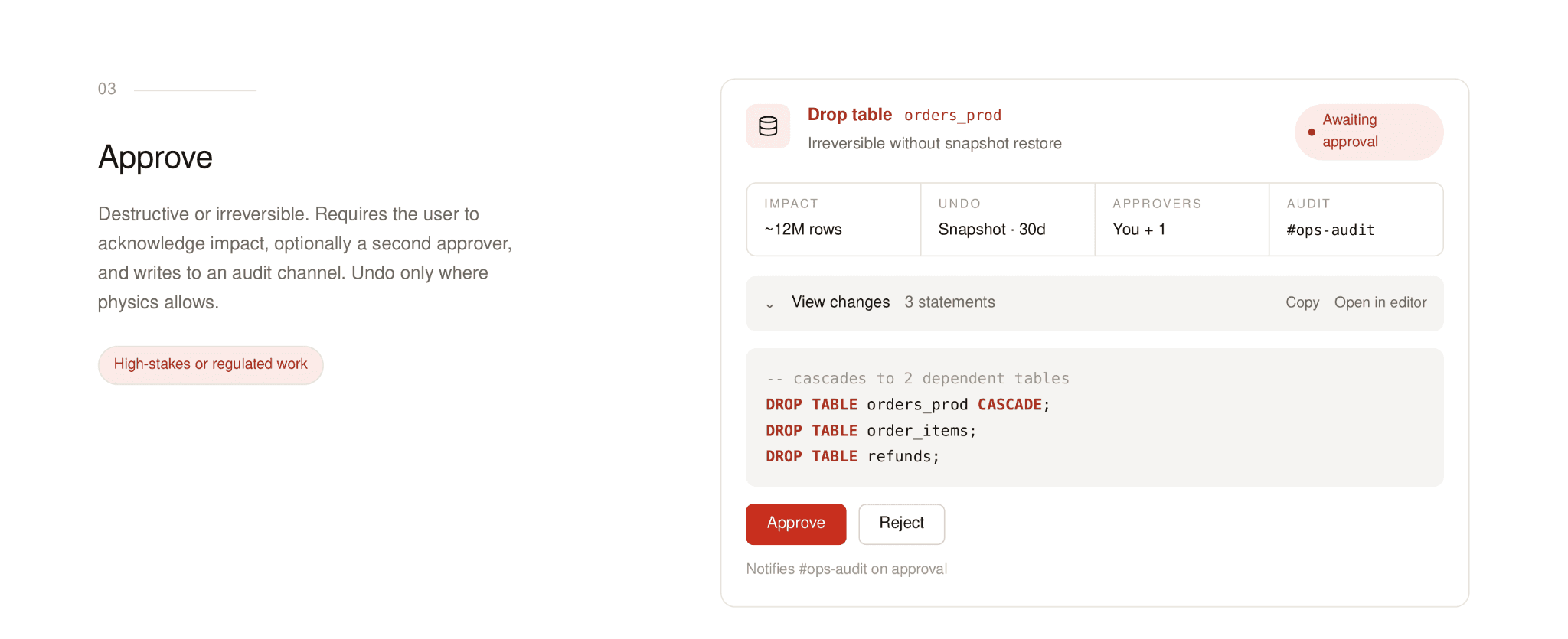
Permission: when does the agent act, and when does it ask? Every harness has a rule for this, even if nobody designed it on purpose. If it asks too much, the agent feels needy. Ask too little and users feel ambushed. The usual answer is tiered: small actions happen automatically, medium actions ask confirmation, and consequential actions need explicit approval with obvious undos. In your UX these become dialogs, inline confirmations, and activity logs. You get the drill.
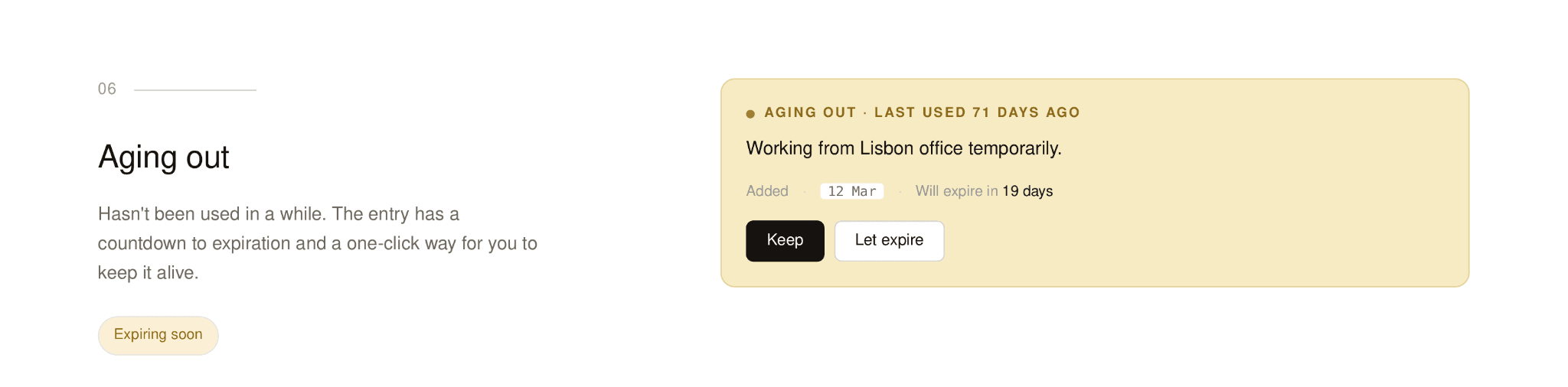
Memory: what does it remember, and can the user see it? Memory is what makes an agent feel like it actually knows you. It's also a UX minefield. Can users see what's stored? Edit it? Delete it? When the agent acts on something it remembers, is that visible or hidden? Good memory feels like a coworker who's been paying attention. Bad memory feels like surveillance, or like the agent has quietly built a wrong picture of you and is confidently acting on it.
The thing nobody tells you about trust
Look across those three areas and a pattern shows up: trust in an AI product is mostly not about how smart the model is. It's about the harness.
You can have a genuinely brilliant model and a product no one trusts, because the harness gives users no way to check, intervene, or undo. The reverse works too – a more modest model wrapped in a careful harness that shows its work, asks at the right moments, and recovers when things break can earn way more trust than something smarter and louder.
For designers, that flips the question. It's not just "what can the AI do?" It's "what does the harness let people see, control, and recover from?" That second question is where design actually does its job in AI products. It's also what separates the AI tools people quietly rely on from the ones they ditch after a week.
TL;DR
You don't need to learn how to write system prompts or wire up tools. Engineering owns that. But everything you do shape (i.e., visibility, permission, memory, recovery, trust, etc.) sits directly on top of harness decisions. The earlier those conversations happen with you in the room, the better the product gets.
The model is the engine. The harness is the car. Nobody buys engines. They drive cars. As more of our work moves into AI products, the designers who can read the harness, ask about its loops and tools and memory, and push on its defaults are the ones shaping what these things actually feel like to use.
So next time someone gets hyped about a new model, that’s great. However, the better question you should ask is What about that harness?
We at Obin are hiring AI Product UX Designers who want to work in this brand new paradigm on mission-critical financial and enterprise AI use cases. If this is interesting to you, please apply!